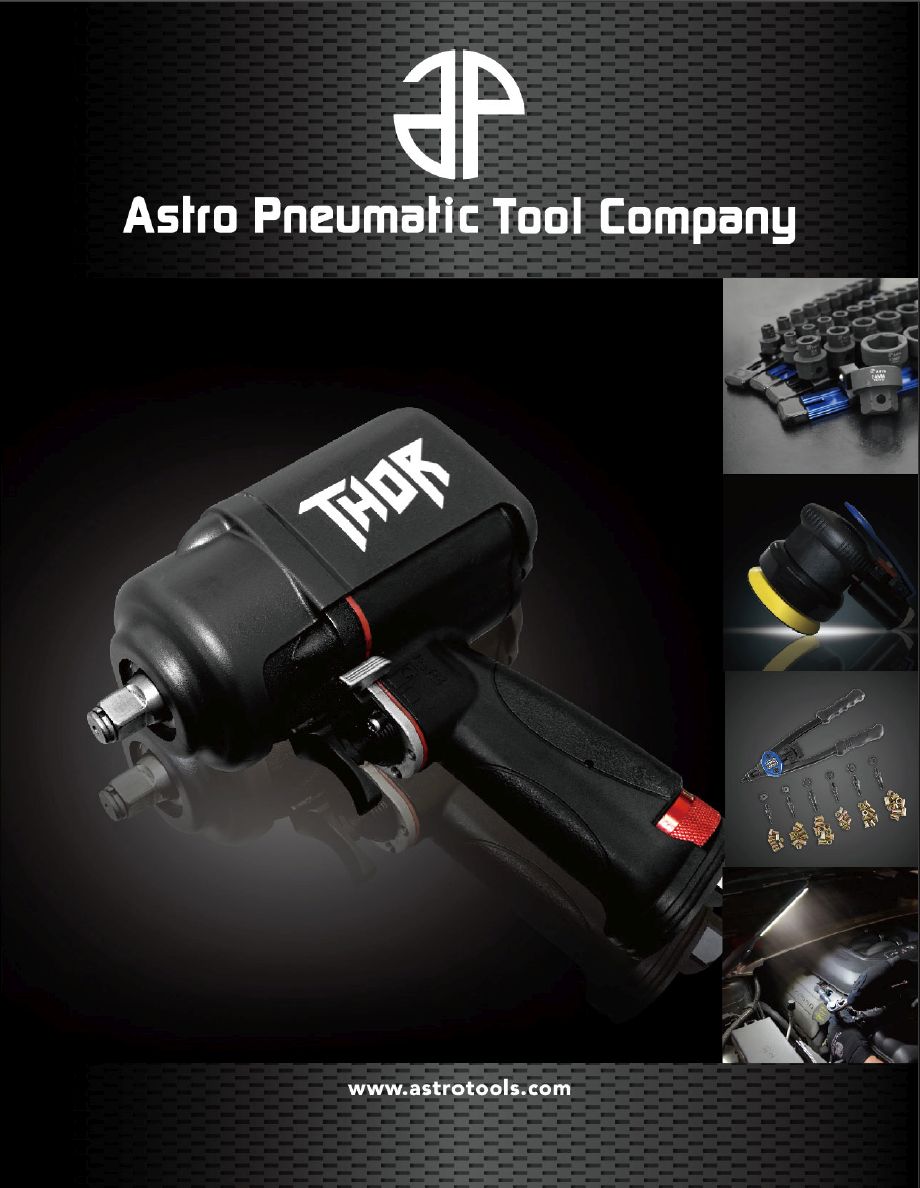
Astro Pneumatic Tools offers a one-year limited warranty on many products and a lifetime warranty on certain eligible hand tools. Coverage depends on the tool, the original purchaser, the type of defect, and the terms listed in the product manual or official warranty policy.
If you bought an Astro Pneumatic tool in the United States and it has failed, check the warranty before paying for a repair. The official Astro Pneumatic Tools warranty page explains how to contact customer service, what proof to provide, and where repairs must be sent. You can reach the company at 800-221-9705 or Astrotools@astrotools.com.
The main thing to know is that not every Astro tool has the same coverage. Many products have a one-year limited warranty, while certain hardline hand tools, such as eligible sockets and ratchets, may have lifetime coverage. The company also lists special rules for air tools, hydraulic equipment, tool kits, batteries, and individual components. Check the terms for your exact model before shipping anything.
The Astro Tools warranty is the manufacturer’s written promise to address certain defects in its products. Astro Pneumatic Tool Co. states that its standard limited warranty covers defective materials or workmanship for one year from the original user’s first use, subject to the terms and exceptions that apply to the product.
This is a limited warranty, not a promise that every broken tool will be replaced at no cost. Astro reserves the right to assess the cause of a failure and decide whether the problem falls within its coverage. The company may repair a qualifying product, provide an eligible replacement component, or use another remedy permitted by its policy.
The warranty is intended for the original user or purchaser, as specified by the applicable terms. It generally cannot be transferred to someone who later buys the tool secondhand. A tool bought from a private seller may therefore have different warranty options from one bought new by the person making the claim.
Source: astrotools.com
Coverage for defects
The standard warranty focuses on defects in materials or workmanship, rather than every type of damage that can occur during use.
Coverage period
Many products have a one-year period measured from first use, while qualifying products may have different terms.
Manufacturer review
Astro determines whether a reported failure qualifies under the warranty and what remedy is appropriate.
Who Is Eligible to Make a Claim?
The person who originally purchased or first used the tool should gather the purchase record and contact Astro. The exact wording of the product’s warranty matters because the standard warranty refers to the original user, while the lifetime warranty refers to the original purchaser.
If you received the tool as a gift, bought it through a business, or purchased it used, explain those facts to customer service. Do not assume that a receipt from a different owner or a seller’s promise guarantees coverage.
New purchase
Keep the receipt or invoice and identify the retailer.
Gift or business purchase
Provide the available order record and ask Astro which ownership details it needs.
Used tool
Ask whether any remedy remains available, since the published warranty limits rights to the original user or purchaser.
Does Astro Tools Have a One-Year or Lifetime Warranty?
Astro Pneumatic Tools offers both one-year limited and lifetime warranty coverage, depending on the product. The official policy does not say that every tool receives lifetime protection, so the model number and included manual are the best places to start.
The one-year limited warranty covers qualifying material or workmanship defects from first use. The lifetime warranty applies to products whose manuals state Lifetime Warranty or that Astro otherwise advertises as having lifetime coverage. The company gives examples that include many hardline tools, such as sockets, impact sockets, and ratchets that are not designated as specialty tools.
A retailer’s broad statement about a brand’s warranty should not replace the manufacturer’s terms for your exact item. If the listing, manual, and current warranty page appear to differ, contact Astro before relying on the longer period.
Source: astrotools.com
One-year limited warranty
Common for products covered by the standard policy, including qualifying tools with defects in material or workmanship.
Lifetime warranty
Available for designated products whose manuals or official product information specify lifetime coverage.
Special terms
Some products, components, and accessories have exceptions that change the coverage or the way a claim must be handled.
How to Check Your Tool’s Warranty Period
Start with the manual that came with the tool. Look for the warranty section and note the stated period, exclusions, and instructions for service. If you no longer have the manual, search for the exact model on the official Astro Pneumatic Tools website.
Next, compare the manual with the current Warranty & Repairs page. Record the model number and ask customer service to confirm the applicable terms if the information is unclear. A product that looks like a standard ratchet may still fall outside the lifetime category if it is a specialty model or has different written terms.
Find the model number
Use the number printed on the tool, label, package, or manual.
Read the product terms
Check whether the item is explicitly covered for one year or for life.
Confirm unclear cases
Ask Astro to clarify coverage before sending the tool or buying repair parts.
How to File an Astro Tools Warranty Claim
The simplest way to start an Astro Tools warranty claim is to contact the manufacturer’s customer service team with the model number, proof of purchase, and a clear description of the problem. Do this before mailing the tool, because some products have special shipping or inspection requirements.
Astro lists its customer service phone number as 800-221-9705 and its email address as Astrotools@astrotools.com. Its official warranty page also asks customers to identify the product’s item number and check the parts breakdown on the product page when replacement components may be needed.
A short, complete request helps the service team understand the issue. Explain what failed, when you first used the tool, and what happened immediately before the failure. Stick to what you observed instead of guessing which internal part broke.
Source: toolsid.com
Step 1: Identify the tool
Write down the complete model or item number, including any letters or suffixes.
Step 2: Gather proof
Find the receipt, invoice, order confirmation, or warranty card. Astro may request adequate proof of purchase or the date of purchase.
Step 3: Describe the fault
State whether the tool will not run, leaks, slips, loses power, or has a broken component.
Step 4: Contact customer service
Call 800-221-9705 or email Astrotools@astrotools.com and ask for the correct procedure for your model.
Step 5: Follow the instructions
Confirm whether the company wants photos, the whole tool, a component, or other records before sending anything.
What Information Should You Include?
Include your full name, a reliable contact method, the tool’s model number, the purchase date, and the retailer’s name. Add a brief fault description and attach clear photos if requested or useful. For lifetime claims, Astro specifically asks customers to email an image of the broken tool, its model or part number, and a shipping name and address.
Do not send unnecessary personal or payment information. A card number, account password, or other sensitive financial detail is not needed to describe a tool defect. Keep the original receipt and copies of your messages until the claim is resolved.
Purchase record
Show where and when the tool was bought.
Product identification
Use the exact model or part number rather than only the brand name.
Fault evidence
Use well-lit images that show the damaged area and the full tool.
Hello Astro Customer Service, I would like to ask about warranty coverage for my Astro Pneumatic tool. The model or item number is [model number], and I purchased it from [retailer] on [purchase date]. The tool first showed the problem on [date]. The issue is [brief description]. I have attached the purchase record and photos for review. Please let me know whether the tool is covered and what steps I should follow next. My shipping details are [name and address]. Thank you.
Before sending
Replace the bracketed details with accurate information and attach only the records relevant to the claim.
What Does the Astro Pneumatic Warranty Cover?
The warranty generally addresses qualifying defects in materials or workmanship, but the remedy depends on the type of product and the cause of failure. A tool that fails during normal use may qualify for review, while damage caused by an accident, alteration, or misuse is excluded under the standard one-year terms.
Astro’s policy gives the company the right to assess whether a failure resulted from a covered defect or another cause. This means a broken part does not automatically establish eligibility. The company’s decision will depend on the product, the evidence, and the applicable warranty conditions.
Normal wear, consumable parts, missing components, and damage from improper use should be discussed separately. Do not assume that every accessory or part in a kit has the same warranty as the main tool.
Source: astrotools.com
Potentially covered
A material or workmanship defect that meets the applicable warranty terms and is reported by an eligible original user or purchaser.
Generally excluded under the standard terms
Failures caused by accidents, alterations, or misuse.
Requires product-specific review
Wear items, missing parts, batteries, accessories, and individual components that have separate conditions.
Can Unauthorized Repairs Affect Coverage?
Yes. Astro states that warranty repairs must be performed by Astro Pneumatic Tool Co. or its authorized service representatives. The official policy warns that an unauthorized repair voids the warranty.
If an air tool stops working, avoid opening the motor or changing internal parts before contacting the company. A repair attempt may make it harder to assess the original fault and can affect the warranty. Ask customer service which inspection or repair steps are allowed.
Do not dismantle the tool first
Contact Astro before opening a product that may still qualify for warranty service.
Use approved service
Follow the company’s instructions for repair or inspection.
Astro Tools Warranty Exceptions for Kits, Air Tools, and Parts
Astro lists several exceptions that can change the claim process. These matter because a standard warranty request for a hand tool may not follow the same steps as a claim for an air tool, hydraulic device, battery pack, or multi-piece kit.
Read the exception that matches your product before you ship it. Some claims involve sending the complete tool for inspection, while others can be handled by replacing one defective component. The official policy also identifies products and parts with limited coverage.
Source: astrotoolsindia.com
Air Tools and Hydraulic Equipment
Astro says defective air tools and hydraulic products should be sent to its California warehouse with freight prepaid for inspection. The company then determines whether the tool should be repaired or replaced. Astro states that it covers return shipping for items accepted under warranty.
If you already know which component has failed, check the parts breakdown for the model. Astro says customers can fax or email proof of purchase and request a replacement part when the situation qualifies. Contact customer service first to confirm the correct process and destination.
Before shipping
Ask about authorization, packaging, shipping arrangements, and the records that must accompany the tool.
For replacement parts
Use the model’s parts breakdown to identify the correct component number.
Sets and Kits
When only one item in a set is defective, Astro says it replaces the affected item rather than the entire set. If just one component of a tool has failed, the remedy may be limited to that part.
This rule can save time and prevent you from shipping items that are not involved in the problem. Ask whether the company needs the full kit or only the defective piece before packing the return.
One failed item
Identify the individual piece and ask whether it can be replaced separately.
One failed component
Provide the part number from the official breakdown when possible.
Thin-wall sockets
Astro states that thin-wall sockets are not covered under its warranty, although they may be purchased individually.
Ball Joint C-Frames and Hose Clamp Pliers
Ball joint C-frame claims have a specific identification requirement. Astro asks customers to provide proof of purchase and the two-digit code on the side of the clamp. The company says that a missing code may indicate that the product is out of warranty or is not an Astro product.
Hose clamp pliers also have a limited lifetime coverage rule. Astro specifies lifetime warranty coverage for the handles, while the cable, lever, and other consumable parts can be purchased separately. Do not assume that the whole plier assembly receives lifetime replacement.
Ball joint C-frame
Record the two-digit clamp code and gather proof of purchase before contacting support.
Hose clamp pliers
Check whether the failed part is a handle or a separately sold cable, lever, or consumable.
Battery Packs and Accessories
Astro’s published warranty exception says a battery pack must be sent to its California warehouse for repair or replacement. If an accessory is defective, the company asks customers to fax or email proof of purchase so the affected component can be reviewed for replacement.
Battery and accessory rules can differ from the standard hand-tool process. Contact customer service before shipping a battery or removing components, and follow any handling instructions provided for the specific product.
Battery pack
Confirm the shipping procedure and whether the pack requires inspection.
Defective accessory
Provide proof of purchase and identify the accessory by name or part number.
Where to Send Astro Tools Warranty Repairs
Astro Pneumatic Tools lists the following address for warranty repairs on its official US warranty page. Contact customer service before sending a tool so you can confirm whether the address, shipping method, and paperwork are appropriate for your particular claim.
Astro Pneumatic Tool Co., 1230 Santa Anita Ave, Suite E, South El Monte, CA 91733. The listed customer service number is 800-221-9705, and the email address is Astrotools@astrotools.com.
Do not treat the address as permission to mail every product without approval. Air tools and hydraulic equipment may require freight-prepaid shipping and inspection. Other products may need photos, a part number, or a component-only return. Keep the tracking number and a copy of all documents if the company asks you to ship the tool.
Source: astrotools.com
Customer service phone
800-221-9705
Customer service email
Astrotools@astrotools.com
Published repair address
Astro Pneumatic Tool Co., 1230 Santa Anita Ave, Suite E, South El Monte, CA 91733.
Who Pays for Shipping?
Shipping costs depend on the type of claim and the outcome. Astro’s exception for defective air tools and hydraulic equipment says those products must be sent freight prepaid for inspection and that return shipping is covered for warranty items. This does not establish that every outbound shipment or every rejected claim is free.
Ask for the shipping terms before you send a heavy or bulky tool. Keep your receipt for the freight charge and any tracking details. If the claim is not approved, request an explanation of any return shipping or repair costs before authorizing paid work.
Outbound shipping
Confirm who pays and whether the company requires a particular carrier or shipping method.
Return shipping
Ask whether it is covered for your exact product and approved warranty claim.
Inspection or repair fees
Get any possible charges explained before agreeing to paid service.
How Long Does an Astro Tools Warranty Claim Take?
Astro’s published warranty information does not provide one standard processing time for every repair or replacement. The actual wait may depend on the product, whether the company needs to inspect it, whether proof of purchase is complete, and whether the required part is available.
A lifetime warranty claim that can be assessed from a clear photo may be simpler than a claim involving an air tool that must be shipped and inspected. However, Astro does not promise a universal turnaround time for either process. Ask customer service for an estimate after it has identified the product and claim type.
If you have not received an update, follow up with your case details and shipping information. Keep the conversation focused on the model number, date sent, tracking number, and any questions the company still needs answered.
Source: www.youtube.com, Dan the Fix it Man
Provide complete information
Missing proof or an unclear model number may require extra messages before the claim can move forward.
Track shipped items
Save the tracking number and delivery confirmation for any tool sent to the service center.
Request a status update
Ask whether the tool has arrived, whether inspection is complete, and what happens next.
What If Your Warranty Claim Is Denied?
First, ask why the claim was denied. The reason may relate to the warranty period, ownership, proof of purchase, damage caused by misuse, or a product-specific exception. Request clarification if the explanation does not match the facts or the written terms you have.
Next, compare the response with the manual and the current official policy for your exact model. Send any missing records or relevant information that may help the company review the decision. Do not claim a defect was present at purchase unless you have a reasonable basis for saying so.
If the tool is outside coverage, ask whether an authorized repair or replacement part is available and request the cost before proceeding. For a new purchase, you can also ask the retailer whether its own return or support policy applies. A retailer’s policy is separate from the manufacturer’s warranty.
Confirm the reason
Ask which warranty term or exclusion applies to the decision.
Provide missing evidence
Send relevant purchase records, model details, or photos if requested.
Compare other options
Ask about paid repair, parts availability, or any applicable retailer remedy.
Common Mistakes to Avoid When Filing a Claim
Most avoidable warranty delays begin with missing details or an incorrect assumption about coverage. A little preparation can help you avoid shipping the wrong item, paying an unnecessary repair bill, or damaging a tool while trying to fix it yourself.
Use the exact model number and check the current warranty terms. A product’s appearance or general category is not enough to establish its coverage. If a part is broken, explain what happened and let Astro determine whether the failure qualifies.
Source: manuals.plus
Assuming every tool has lifetime coverage
Check the manual and official product information because lifetime terms apply only to designated items.
Throwing away the receipt
Keep proof of purchase and the original warranty card if one was supplied.
Mailing the tool without instructions
Ask customer service about authorization, the correct address, shipping costs, and required documents.
Opening or modifying the tool
Avoid unauthorized repairs that may void coverage.
Returning an entire kit unnecessarily
Ask whether the defective piece or component can be replaced separately.
Expecting an instant replacement
The company may need photos, proof of purchase, or a physical inspection before deciding.
Confusing the retailer’s policy with the manufacturer’s policy
Check both policies separately if you purchased the tool recently.
A Quick Checklist Before You Contact Astro
Review these details before calling or emailing. Having them ready can make it easier for the service team to identify the correct policy and explain the next step.
Model number
Confirm the exact number printed on the tool or its packaging.
Purchase details
Have the purchase date, retailer name, and receipt available.
Problem description
Explain the failure and when it began.
Photos
Take clear images of the full tool, the model marking, and the damaged area.
Warranty instructions
Check the manual and official warranty page for model-specific exceptions.
Shipping plan
Wait for instructions before packing or mailing the product.
Is the Astro Tools Warranty Valid Outside the United States?
Astro Pneumatic Tools states that its published warranty terms apply to the United States and Canada and that the company does not ship internationally. Its policy directs international customers to handle warranty matters with the retailer from which they purchased the tool.
If you bought an Astro Pneumatic product outside the United States, contact your retailer first. Provide the model number, purchase record, and a clear description of the issue. Ask whether the seller handles claims locally, whether a local service center is available, and whether any shipping or service fees apply.
Do not assume that a US warranty address means the company will accept an international shipment. The retailer’s local terms, the country of purchase, and the exact product may affect your options. Confirm the process before paying for overseas shipping.
Source: astrotools.com
US and Canadian buyers
Use Astro’s official customer service details and confirm the procedure for the exact model.
Buyers in other countries
Start with the retailer that sold the product and ask about its warranty process.
Online purchases
Keep the order confirmation and identify the seller clearly when requesting help.
How to Find the Official Warranty Information
Visit the Astro Pneumatic Tools website and open the Warranty & Repairs page. This is the best starting point for current contact details, warranty terms, and the listed exceptions. You can also search for your exact model to locate its product page and parts breakdown.
Use the manufacturer’s information to verify any instructions found on a retailer’s website or in an older manual. Product-specific documents can still be useful, but contact Astro if the terms appear to conflict. Save a copy of the applicable policy and the date you checked it for your records.
Many Astro Pneumatic Tools products have a one-year limited warranty from the date of first use. Certain products have lifetime coverage when their manuals or official product information specifically state that they qualify. Check the terms for your exact model before filing a claim.
Q
How do I contact Astro Pneumatic Tools about a warranty claim?
Call 800-221-9705 or email Astrotools@astrotools.com. Have your model number, proof of purchase, and a short description of the fault ready. Ask for the correct repair or replacement procedure before shipping the tool.
Q
Does Astro replace a whole tool kit if one part breaks?
Not necessarily. Astro states that when one item in a set or kit is defective, it replaces the affected item rather than the entire set. A claim involving a single component may also be handled by replacing that part. Contact customer service to confirm the remedy for your product.
Q
Can I claim the Astro lifetime warranty without a receipt?
Astro says proof of purchase may be requested for lifetime warranty claims. Its published process asks for a photo of the broken tool, the model or part number, and a shipping name and address. Contact customer service if you no longer have the receipt and ask which records it will accept.
Q
Will Astro cover a tool damaged by misuse?
The standard one-year warranty excludes failures caused by accident, alteration, or misuse. Astro reviews the cause of the failure and decides whether it qualifies. Describe what happened honestly and ask about paid repair options if the claim is not covered.
Q
Does Astro Pneumatic Tools cover shipping for warranty repairs?
The published policy says defective air tools and hydraulic equipment must be sent freight prepaid for inspection, and Astro covers return shipping on warranty items. That exception does not promise free outbound shipping for every product or claim. Confirm the shipping terms with customer service before sending your tool.
Q
Can I transfer an Astro Tools warranty to another owner?
The standard warranty limits its rights to the original user, and the lifetime warranty refers to the original purchaser. The published terms do not provide general transferable coverage for secondhand sales. Contact Astro with the model and purchase details if your ownership situation is unusual.
Q
What should I do if Astro no longer sells my tool?
Astro states that if a covered product has been discontinued and inventory is no longer available, it may replace the item with the latest version or the closest current product within that product line. The decision remains subject to the warranty terms. Ask customer service which option applies to your model.
✦ Wrapping Up
Conclusion
The Astro Tools warranty can help with eligible defects, but the coverage depends on the product and the cause of failure. Many Astro Pneumatic Tools products have a one-year limited warranty, while certain designated hand tools qualify for lifetime coverage. Special rules also apply to air tools, hydraulic equipment, kits, battery packs, and individual parts.
Before making a claim, locate the model number, gather proof of purchase, and describe the problem clearly. Contact Astro at 800-221-9705 or Astrotools@astrotools.com, then follow the instructions for your exact tool. Check the current official warranty page if you need to confirm coverage, shipping requirements, or the correct repair process.
💡 Key Takeaway
Start at https://www.astrotools.com/warranty/, identify your exact tool model, and contact Astro Pneumatic customer service before sending the product for repair or replacement.